This course is an introduction to basic computer-aided drafting. Emphasis is placed on basic computer operating principles, hardware descriptions and requirements, drawing setup; creating and modifying geometry; storing and retrieving predefined shapes; placing, rotating, and scaling objects, adding text and dimensions, using layers, coordinating systems; as well as input and output devices.
These are some answers to some questions about AutoCAD.
This is a PDF of the assignment of when I needed to create a shaped using coordinates and the line function.
These are the first blocks I created in AutoCAD.
Using the blocks, here is the floor plan of a small studio apartment.
These two pages are the assignments of when we had to create different drawings using different linetypes.
This is the same studio apartment as above, except with room labels.
Here is when I created notes for a plan.
Here are multiple drawings I drafted in AutoCAD using multiple functions.
Above are the plans for a tiny house I designed as a final project for this class.
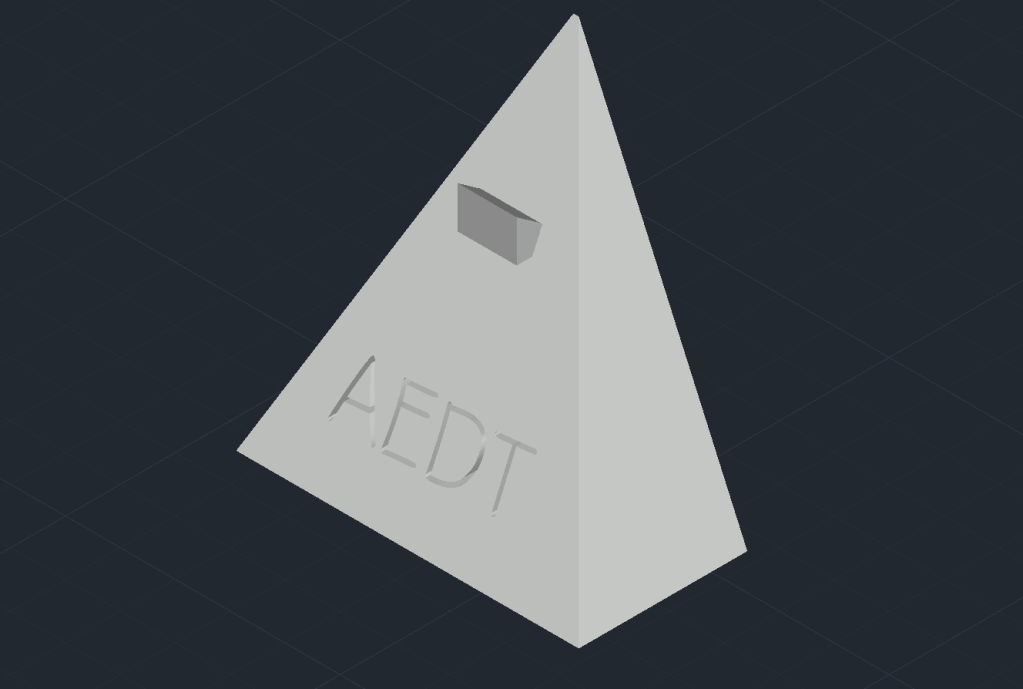
Above is an image of a 3D rendering of a phone stand I designed.
 AEDTportfolio